
Ergonomic advice is often reduced to a diagram showing one ideal sitting position. Real work is more complex. People type, read, join calls, use two screens, reach for documents, work from laptops, and remain seated through deadlines. A posture that feels comfortable for twenty minutes can become uncomfortable when held for four hours.
The most useful ergonomic principle is fit plus variation. The workstation should fit the person and task well enough to reduce unnecessary reaching or strain, while the workday should allow changes in position and demand. A premium chair cannot compensate for uninterrupted sitting, poor sleep, no physical activity, or a workload that permits no recovery.
Ergonomics can reduce aggravating exposure, but it is not a medical diagnosis or a complete treatment for persistent pain. Symptoms that spread, weaken the limb, disturb balance, or behave unusually need clinical assessment.
Start with the task, not the equipment catalogue
Observe what the worker actually does. Data entry may require prolonged keyboard use; design work may involve a large screen and mouse precision; calls may encourage leaning or holding a phone. The primary screen and controls should be positioned for the most frequent task.
Frequently used items belong within easy reach. The screen should be readable without leaning forward, and glare should be controlled. A worker who alternates between paper and screen may benefit from a document holder rather than repeatedly looking down.
- Identify the task occupying most of the day
- Place the primary screen directly in front
- Keep keyboard and mouse close to the body
- Increase text size before leaning toward the display
- Use a headset for frequent or prolonged calls
Chair, desk, and screen setup
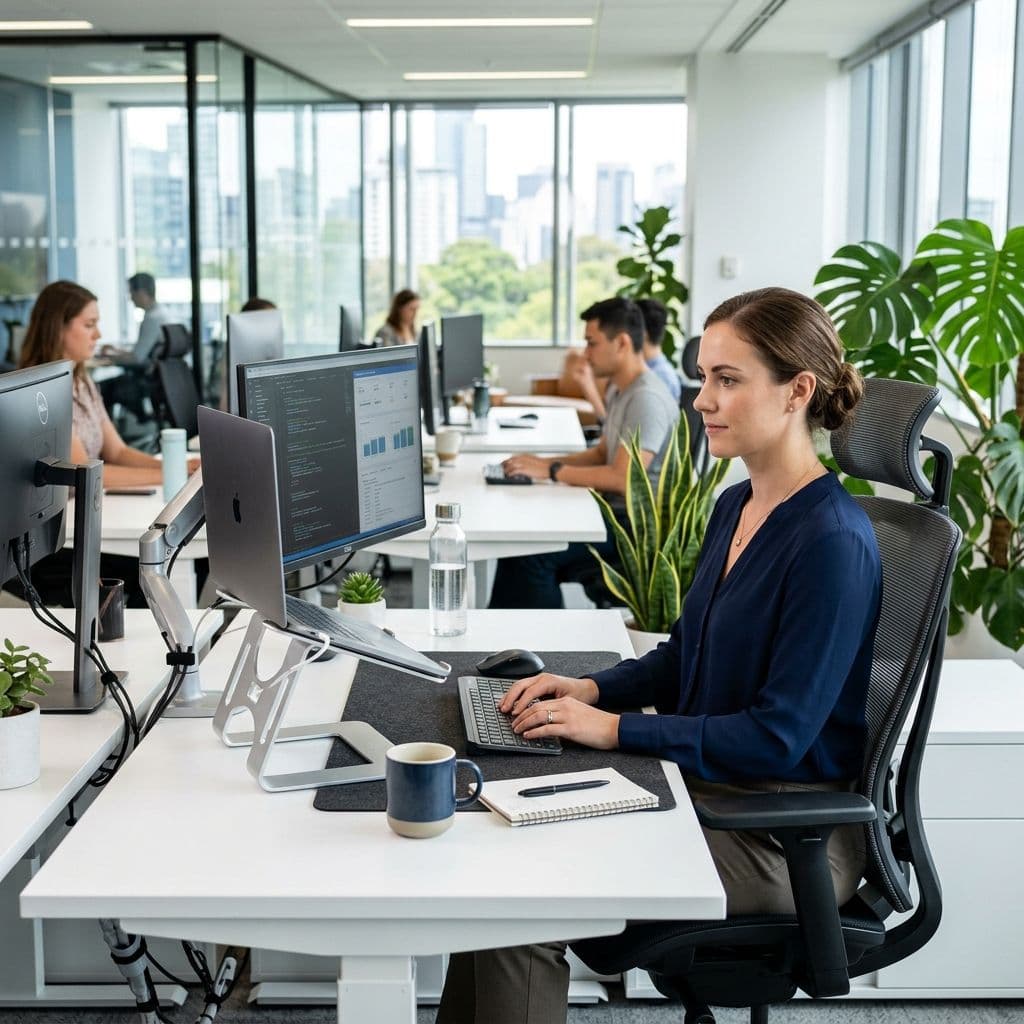
Chair height should allow supported feet and comfortable access to the work surface. If the desk is fixed too high, a footrest may be needed after raising the chair. Armrests should support rather than push the shoulders upward or prevent access to the desk.
The screen height should permit a relaxed viewing angle, but there is no need to force the eyes toward one exact centimetre. Multiple screens should be arranged according to use. If both are used equally, centre the pair; if one is primary, centre that screen.
- Support the feet on the floor or a stable footrest
- Keep elbows and forearms comfortable rather than rigidly fixed
- Position the screen at a readable distance
- Avoid twisting repeatedly toward a secondary screen
- Leave enough leg space to change position
Laptop and hybrid-work adjustments
Long laptop sessions create a screen-keyboard compromise. Raising the laptop improves viewing but lifts the keyboard; lowering it improves typing but encourages looking down. An external keyboard and mouse solve this conflict for prolonged work.
Hybrid workers need a minimum viable setup they can repeat. A stable laptop riser, compact keyboard, mouse, and suitable chair support are more practical than rebuilding an office every day. Working from a sofa or bed occasionally is different from using it as the main setup for months.
- Use an external keyboard and mouse for extended laptop work
- Raise the screen on a stable support
- Avoid balancing devices on unstable cushions or improvised surfaces
- Pack a small repeatable kit for hybrid locations
- Vary location only when each setup remains safe and usable
Movement variation matters more than perfect posture
There is no single posture that prevents pain for everyone. Slouching briefly is not a medical emergency, and rigid upright sitting can also become tiring. Problems often arise from holding any position beyond current tolerance.
Microbreaks should be short enough to use consistently. Stand during part of a call, walk to refill water, or perform a few comfortable movements after completing a task. A sit-stand desk can add options, but standing all day creates another sustained load.
- Change position every 30 to 60 minutes when work allows
- Use task transitions as movement cues
- Alternate sitting and standing rather than maximising either
- Look away from the screen regularly to reduce visual fatigue
- Keep a short movement option for busy days
Why exercise remains part of an ergonomic plan
Ergonomics reduces exposure; exercise builds capacity. Back, neck, shoulder, and general strength can make the same workload easier to tolerate. Aerobic activity also interrupts sedentary time and supports sleep and recovery.
The program does not need to copy workplace posture. Rows, presses, carries, squats, hinges, and walking can build broad capacity. Exercise selection should be modified when symptoms or medical conditions require it.
How to audit whether the changes are working
Change a small number of variables and observe the result over one to two weeks. If the entire workstation, chair, pillow, and exercise routine change at once, it becomes impossible to know what helped.
Measure more than pain. Track how long focused work remains comfortable, how quickly symptoms settle, whether headaches reduce, and whether evening activity is easier. Persistent decline despite reasonable changes is a reason for assessment.
- Record the task that triggers symptoms fastest
- Change one or two setup variables at a time
- Track comfort, concentration, and recovery after work
- Review workload and break feasibility with the employer
- Escalate symptoms that spread or reduce strength
Workload and organisation are ergonomic factors too
A technically good workstation may fail when the job allows no breaks, requires constant urgent responses, or creates hours of concentrated mouse use. Ergonomics includes how work is organised. Task rotation, realistic deadlines, meeting structure, and access to short breaks can change physical exposure without purchasing equipment.
Discuss practical adjustments with the employer when symptoms affect work. Examples include alternating screen and non-screen tasks, reducing repeated manual handling temporarily, using voice input, changing call duration, or scheduling brief recovery between demanding blocks. Adjustments should have a review date so they support recovery rather than becoming indefinite restrictions.
Measure productivity and symptom recovery together. An adjustment that reduces pain but makes the job impossible will not last; one that supports focused work with fewer severe flares is more sustainable. Occupational health or workplace assessment may be useful when the problem involves several roles or a complex environment.
- Identify the longest uninterrupted task blocks
- Rotate high-repetition tasks where feasible
- Agree temporary adjustments with a review date
- Consider voice, headset, or shortcut tools to reduce repeated input
- Escalate organisational barriers that prevent basic movement breaks
Red flags: when symptoms need urgent medical review
Desk work can aggravate symptoms, but it should not be used to explain away new neurological or systemic signs.
- Progressive arm or leg weakness, numbness, or loss of coordination
- New balance problems, falls, or major hand clumsiness
- Sudden severe headache, speech change, facial weakness, or collapse
- Back pain with bladder, bowel, or saddle-area changes
- Fever, unexplained weight loss, significant trauma, or feeling very unwell
Questions patients commonly ask
These answers are general guidance. The right decision depends on your symptoms, medical history, examination findings, and the activities you need to return to.
What is the best office chair for back pain?
There is no universally best model. Choose a stable, adjustable chair that fits the desk and allows supported feet and position changes. Trial comfort is more useful than marketing claims.
Is a standing desk better?
It can provide useful variation, but standing continuously is not automatically healthier or pain-free. Alternate positions and build tolerance gradually.
How often should I take a break?
A practical target is to change position or move briefly every 30 to 60 minutes, but task demands and symptoms vary. Short frequent changes are usually easier to maintain than occasional long breaks.
Can ergonomics cure chronic pain?
It can reduce aggravating exposure, but persistent pain may also involve reduced capacity, sleep, stress, health, and nervous-system sensitivity. A broader rehabilitation plan is often needed.
The clinic takeaway for office ergonomics
A good workstation reduces unnecessary strain and makes position changes easy. It does not demand one perfect posture. Combine setup changes with movement, strength, workload planning, and assessment when symptoms persist or spread.
At Physynex, bring photos of the workstation from the side and front, along with a note of the tasks that trigger symptoms. That turns ergonomic advice into a specific work plan rather than a generic checklist.
Relevant Physynex care pathways
Use these pages to understand the related condition or service. An assessment is still the right starting point when the diagnosis is uncertain.